AI collections software for QuickBooks Online
Get paid faster. Keep the customer.
Nectivo.ai is accounts receivable software for small business. It turns your AR aging report into a daily collections plan: live DSO, the overdue invoices to chase first, AI-drafted payment reminders, a shared inbox for replies, and follow-ups that never slip.
Enterprise-style collections, sized for small finance teams. Free to start.
Free sign-up - no credit card required.
Real product, demo company with fictional customers.
See the AI collections software in action
15-second clips of the real product, recorded in a demo company with fictional customers.
Who to call first
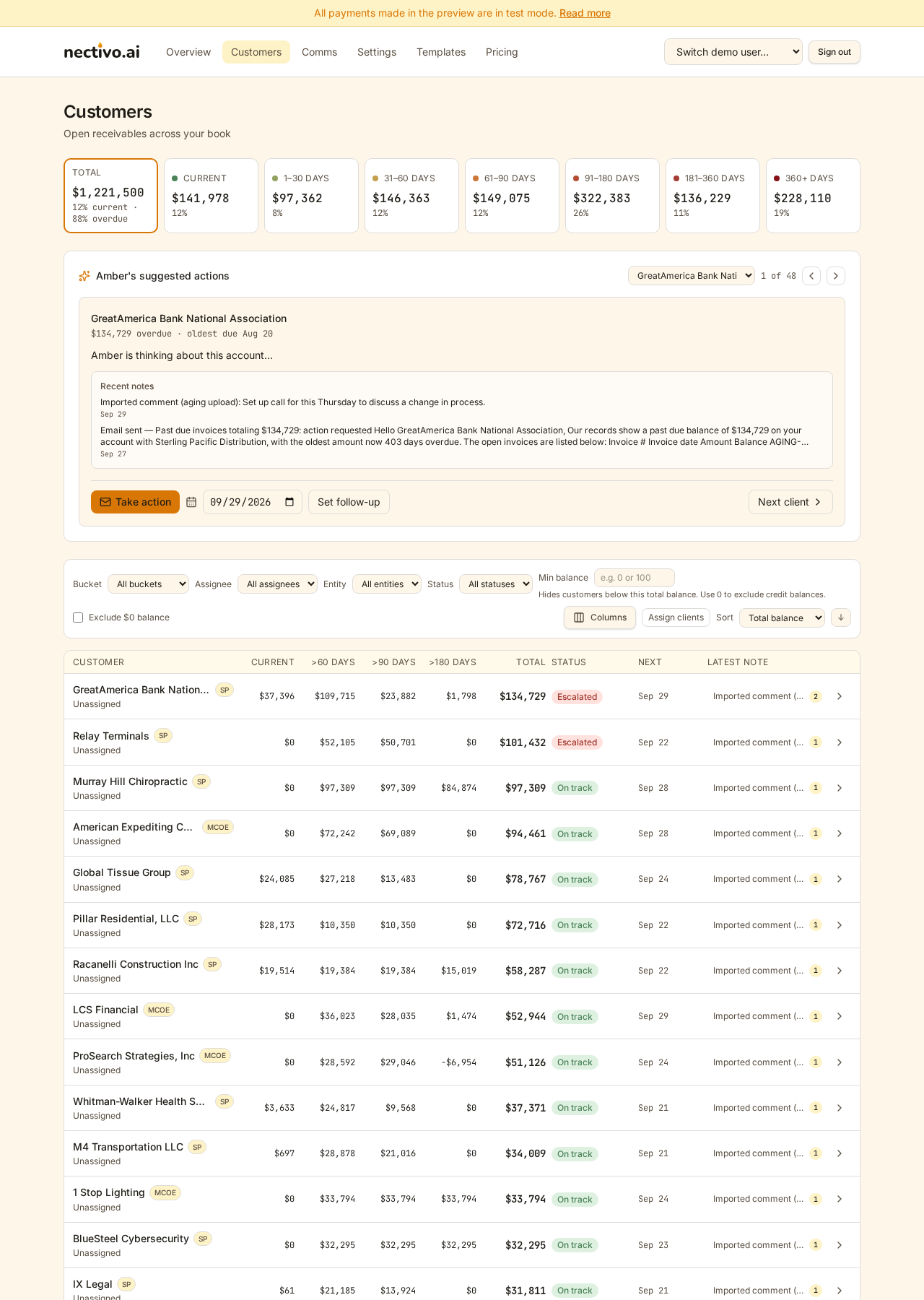
Filter to 60+ days, ask Amber, and get the next step for each account and why.
From next step to ready-to-send email
Amber's suggestion carries into an email with the balance and open invoices filled in.
DSO with the math shown
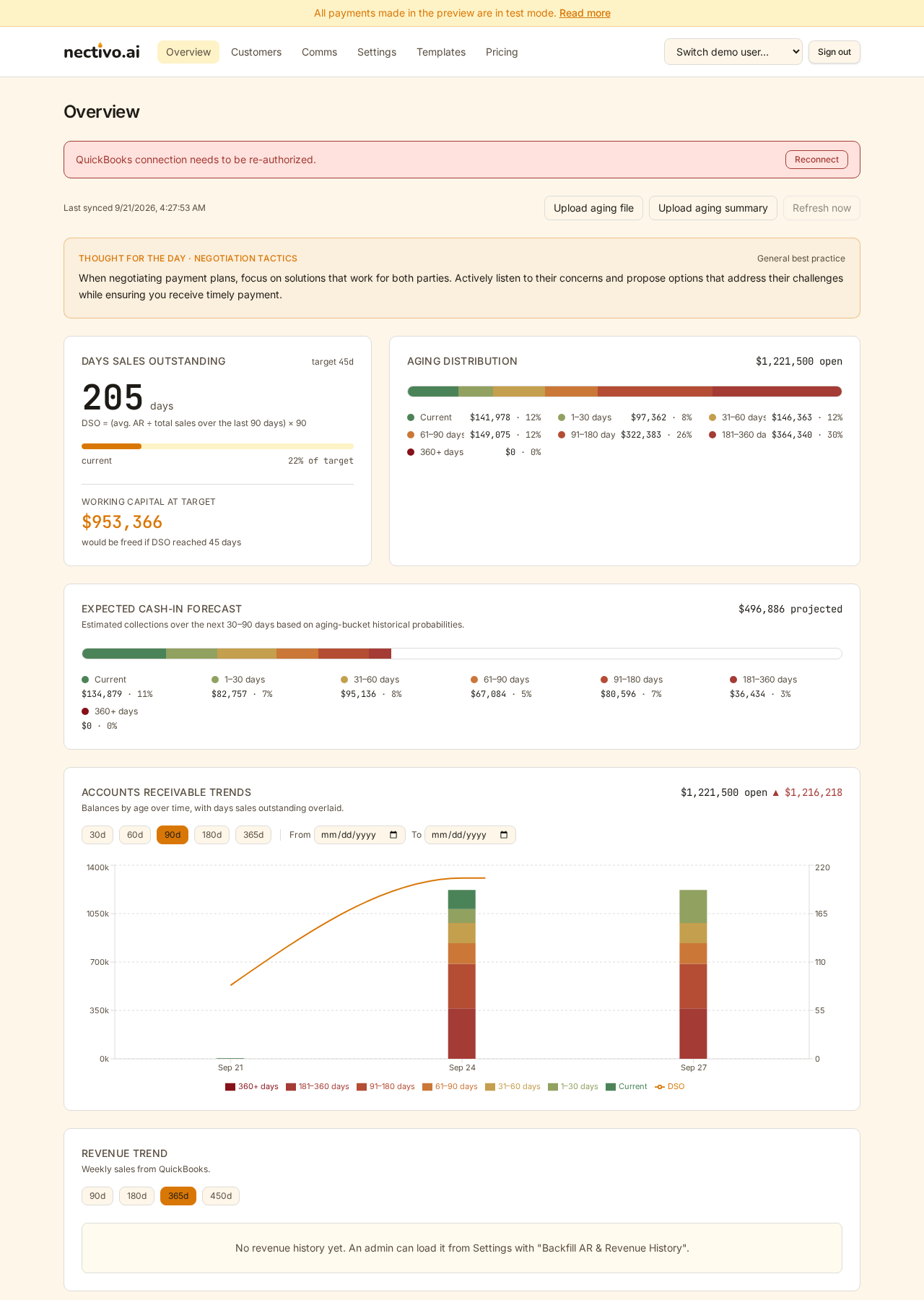
Live DSO, the formula under the number, and the cash you'd free at your target.
When a customer says cash is tight
Hardship accounts in one click, and Amber switches to a cooperative tone.
Everything you need to get paid on time, nothing you don't
Accounts receivable automation for small business: one dashboard for your whole receivables book, from the first payment reminder to the 180-day escalation.
QuickBooks Online collections, step by stepLive DSO & AR aging report
Real DSO (days sales outstanding) computed from your actual invoices, an AR aging breakdown by bucket, and a trend chart so you can watch overdue balances shrink over time.
Amber AI recommendations
The AI reads every account: balance, days overdue, note history, even signs of hardship, and tells your collectors exactly who to touch next and how.
Payment reminders in one click
Send personalized payment reminders and collection emails straight from the recommendation card. Merge fields drop in balances, days overdue, open invoices and customer names automatically.
Text your customers
Mobile numbers sync in from QuickBooks automatically, or add one by hand. One tap opens a prefilled text in your own phone's messaging app, right from the account page or Amber's recommendation card.
Shared Comms queue
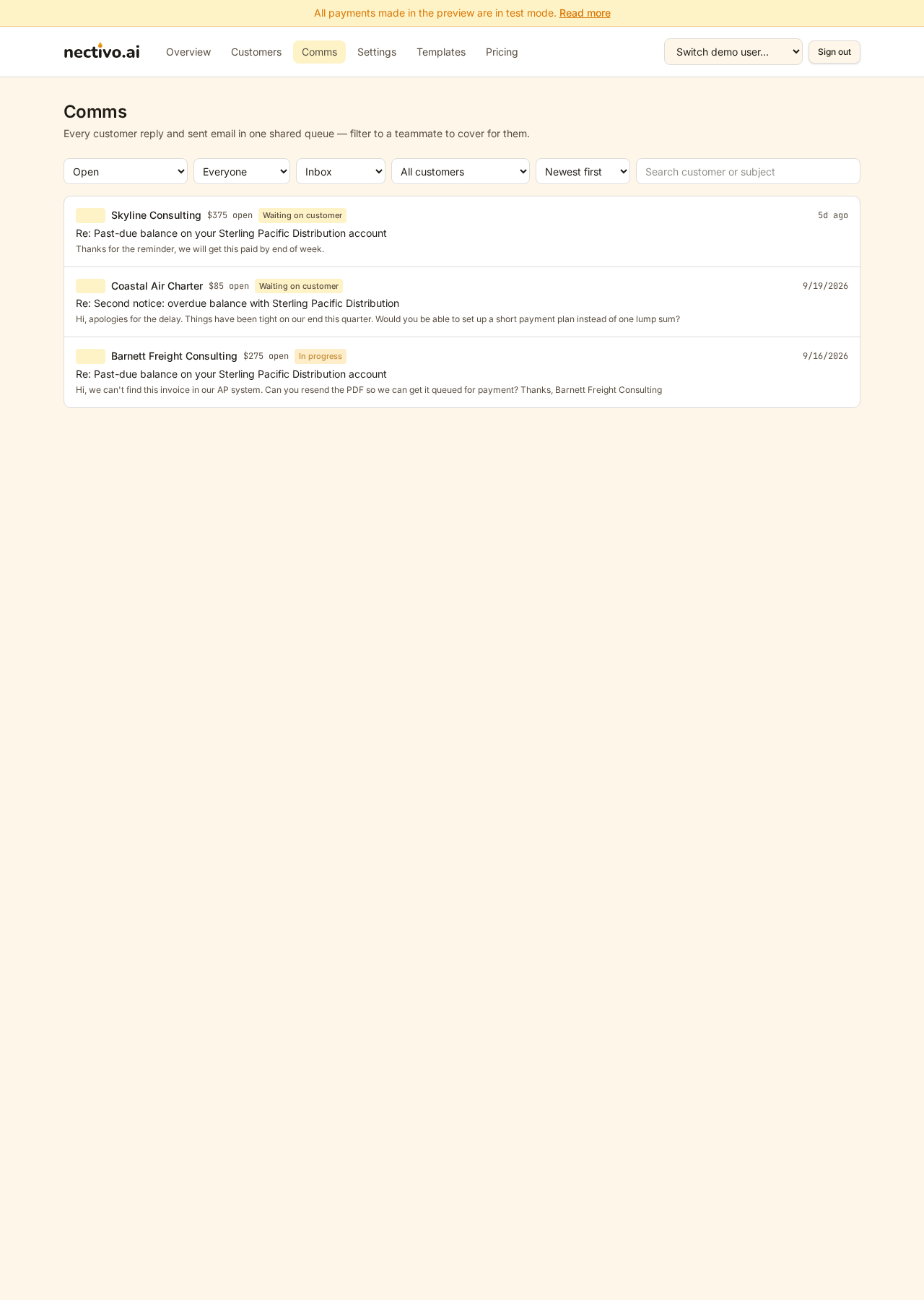
Customer replies land in one team inbox. Filter by account, status, or teammate. Anyone can pick up the thread, so collectors cover for each other and nothing gets lost in a personal mailbox.
Overdue invoice follow-up that never slips
Commit a next-contact date on every account. Stale contacts get flagged, accepted advice tracks its follow-through, and no overdue invoice quietly ages out.
QuickBooks Online sync
Connect QuickBooks Online and refresh your customers and invoices with one click, or upload an AR aging report (CSV or Excel) instead.
Team assignment & audit trail
Assign accounts, change statuses, log calls and notes. Every change is written to an audit log so you always know who did what, when.
Simple, fair pricing
Start free with unlimited customer visibility: track updates for up to 25 customers and 3 seats. Upgrade for full note history, AI recommendations, and the shared Comms queue.
Built-in security
Email multi-factor sign-in, role-based access for admins and reps, and row-level isolation so each company's data stays its own.
No QuickBooks? Upload your AR aging report.
Most collection tools force a live accounting integration before you can see a single aging bucket. Nectivo doesn't. Hand us your messy AR aging report: an export from NetSuite, Xero, Sage, Microsoft Dynamics or any accounting system, a PDF, a CSV, even a copy-pasted table. The template includes a ready-made prompt for ChatGPT, Claude, or any AI assistant, and turns it into a clean import file in minutes. You get the same live DSO, the same aging buckets, and the same AI-drafted outreach, whether your data comes from QuickBooks or an upload. How the AR aging upload works
Start Collecting - No CC Req. to Sign UpHow it works: from AR aging report to daily collections plan
Here's the actual product: no mockups.
Connect your books
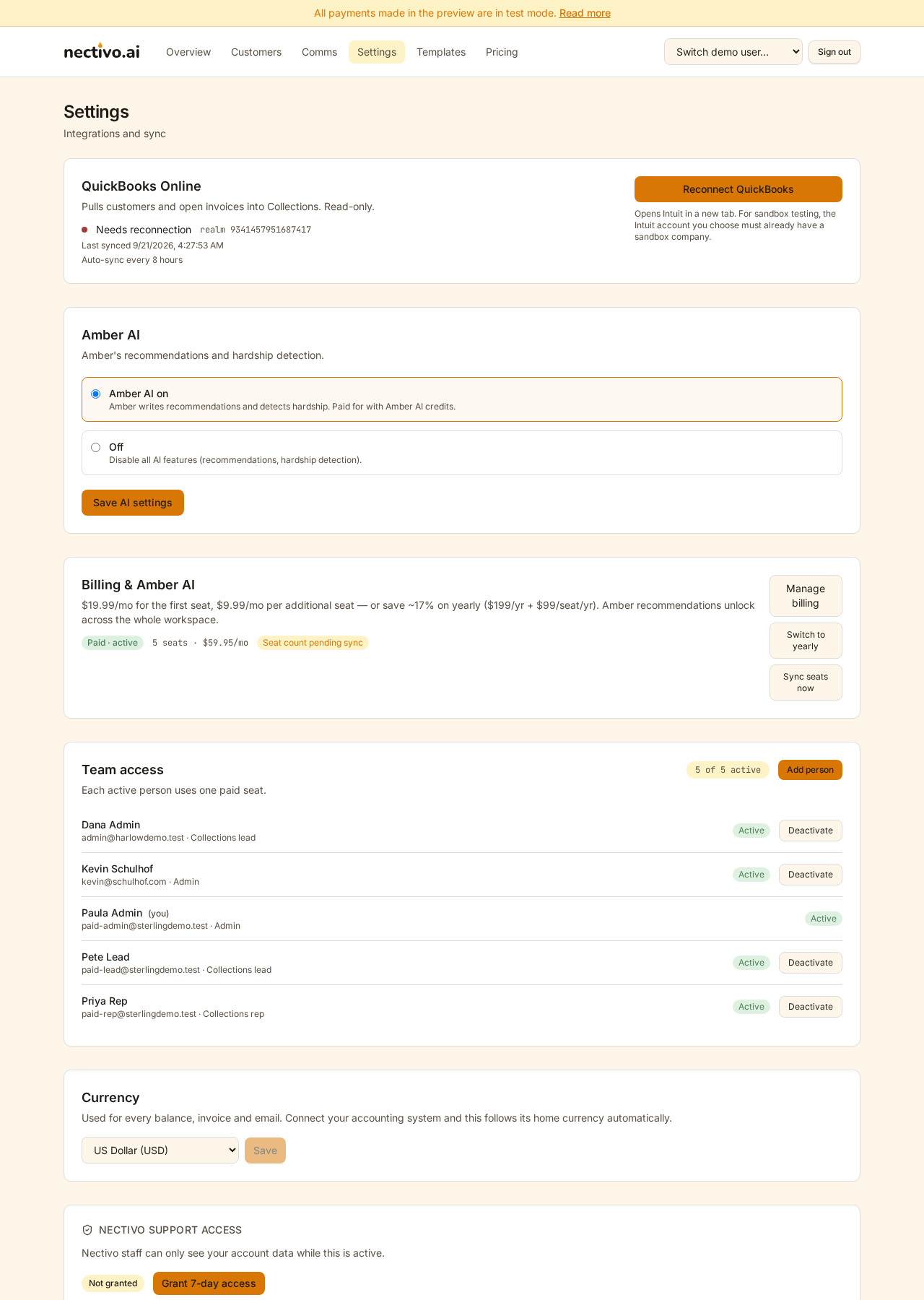
Link QuickBooks or drop in an aging file. Your customers, invoices, and balances appear in minutes.
See where the money is
A live dashboard shows DSO, aging buckets, expected cash-in, and the capital you'd free by hitting your target.
Let AI run the queue
Amber ranks accounts by past-due balance, drafts the right message for each escalation stage, and flags hardship cases for a gentler touch.
Collect, log, repeat
Send emails, log calls, commit follow-ups. Every reply lands in a shared Comms queue the whole team can cover, and the audit trail remembers everything.
Free accounts receivable software to start. Upgrade when your book grows.
Free
$0
- Unlimited customer visibility: track updates for up to 25 customers and 3 seats
- Live DSO, aging buckets & trend chart
- Latest note per customer
- Call logging & follow-up dates
Paid
Most popular$19.99/mo
for the first seat, then $9.99 per additional seat
- Unlimited customers & full note history
- Amber AI recommendations & hardship detection
- Automated collection emails with templates
- Shared Comms queue & team coverage
- Generous AI credits included, with more available in the rare case you need them
- Priority sync & upcoming features first
Downgrade any time - we'll help you trim seats so nothing breaks.
Frequently asked questions

Your receivables won't collect themselves.
Connect your books today and start getting paid on time tomorrow.
Start Collecting - No CC Req. to Sign UpQuestions, feedback or a feature you need? Email support@nectivo.ai - we read every message and it shapes the roadmap.
Protect Yourself Against Invoice and Payment Fraud
Please remain vigilant for signs of invoice or payment fraud, including requests to change bank or remittance information, unusual urgency, grammatical errors, or suspicious sender details (such as misspelled or unfamiliar domain names).
Do not respond to changes to payment or banking instructions initiated via email. Always verify any request to modify payment details by contacting a known, trusted representative of the customer you are paying, leveraging previously established contact information, or by calling the number listed on the recipient's website. Do not rely on contact details included in an unexpected or suspicious message.
If you identify any discrepancies or suspect fraudulent activity, contact your bank or IT team for assistance.